Record without setup
Capture a browser tab, app window, or full screen with microphone, system audio, and an optional camera bubble.
- ✓1080p and 720p capture
- ✓Pause, mute, and camera shortcuts
- ✓Recoverable local draft
Record once. CapyCue structures the story, generates the supporting media, and gives you a focused editor for the human finishing touches.
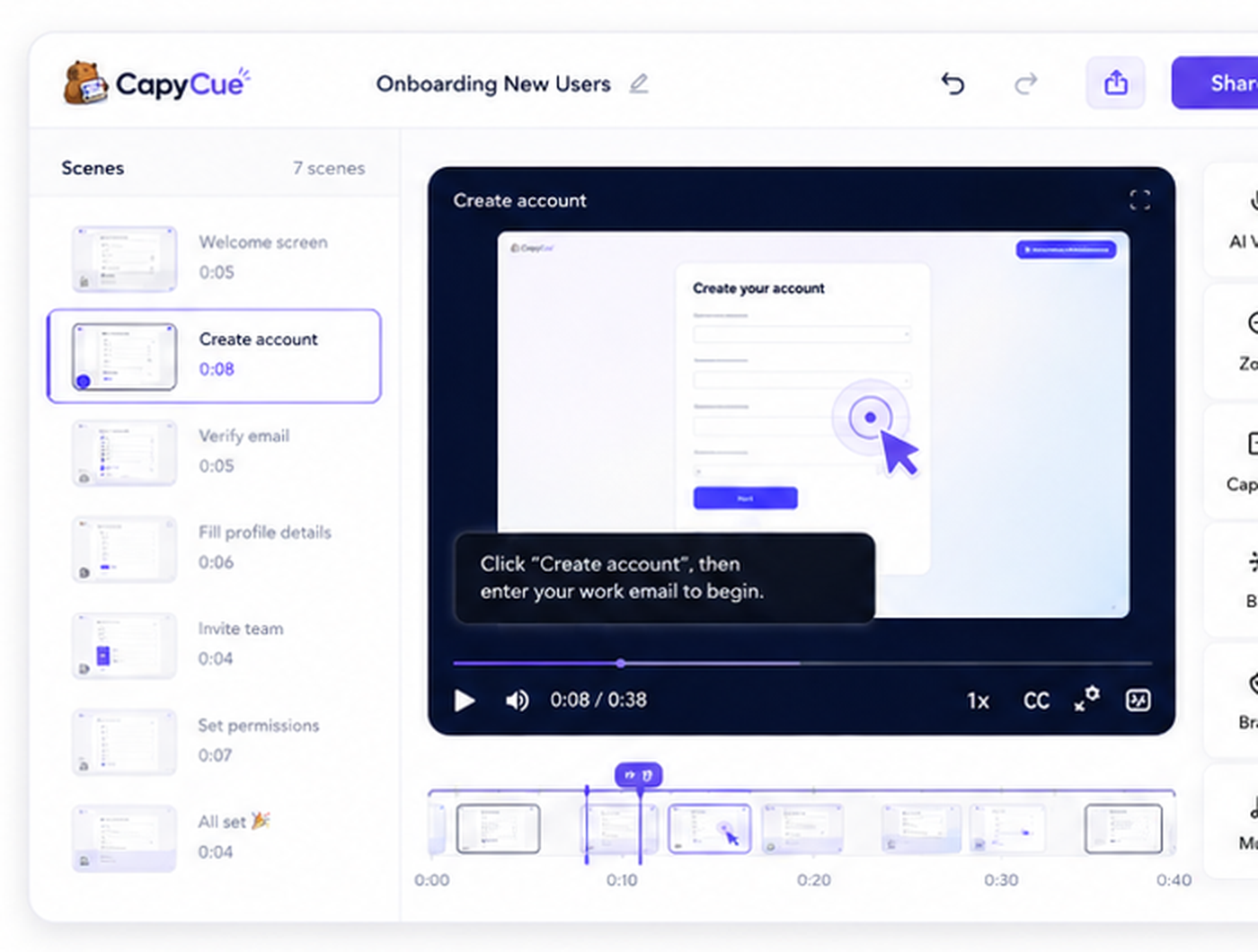
CapyCue keeps creation simple while preserving control over the words, timing, voice, privacy, and final format.
Capture a browser tab, app window, or full screen with microphone, system audio, and an optional camera bubble.
CapyCue turns the recording into a transcript, timed walkthrough steps, captions, and natural narration.
Fine-tune the story, jump to any step on the timeline, reprocess safely, and share the finished walkthrough.
Walkthroughs stay editable as your product and process change.
Create a new rendered version without losing the prior one. Restore text for free or spend AI minutes only when a new render is requested.
Understand plays, completion, and step-level interaction for published walkthroughs and embedded guidance.
Use privacy controls, a brand kit, captions, exports, and clean embeds that match the context where people need help.
Start with a real workflow and turn it into a guide your customers and teammates can replay anytime.